 Nuclideon
 Section Views

A section view is a polyline through the scene that is displayed as a contiguous cross-section along the polyline. This is a useful tool to visualise elevation differences between different scene elements.
To add a Section View, select the section view button  and select as many points as you like. The Section View image will be generated between each point, and displayed in a new window.
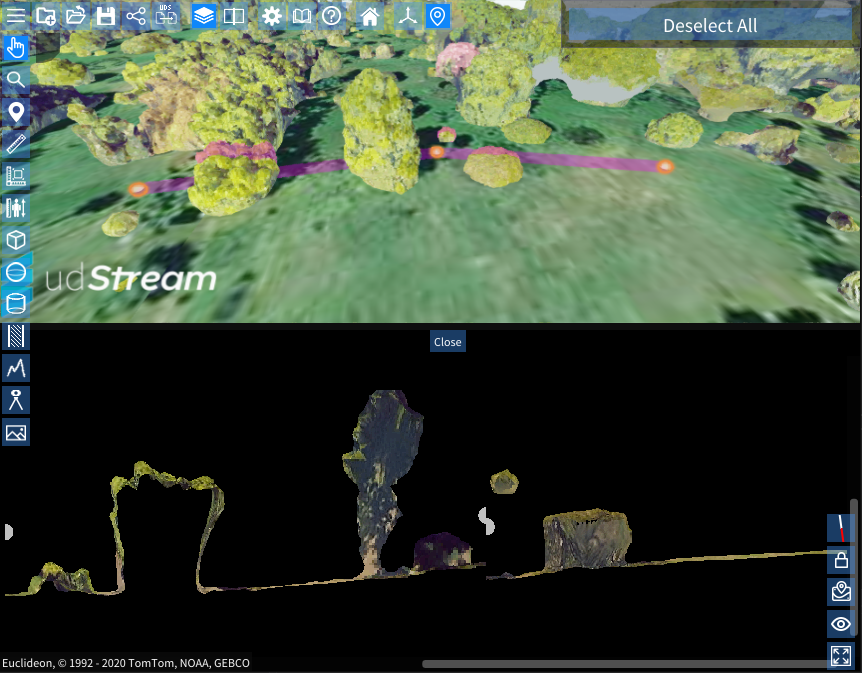
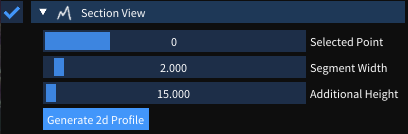
You can reopen the section view window by expanding the section view in the scene explorer, and pressing the "Generate 2D Profile" button.
Creating a Section View
- Click the Section View button in the toolbar (or press Y).
- Click points in the scene to define the cross-section path.
- Press Escape or switch to another tool to finish placing points.
Ribbon Settings
The Section View ribbon tab provides:
- Generate 2D Profile: Regenerate and open the 2D profile window for the current path.
Scene Explorer Settings
Expanding the section view shows the individual vertex positions along the path. These can be edited to reposition section points.
Right-Click Context Menu
| Option | Description |
|---|---|
| Edit Name | Rename the item. |
| Move To | Move the camera to frame the section view path. |
| Remove Item | Delete the item from the scene. |
Scene Node Metadata
Section view items do not have configurable metadata keys beyond the standard vertex position data stored in the node's geometry.